
ROOM PHOTOS, EXPLAINED
What Is Virtual Staging in Real Estate?
What is virtual staging in real estate? It means digitally adding furniture and decor to a photograph of a property. It changes the picture, not the room. The result can suggest how an empty space might be used, but it remains an edited illustration and should not replace accurate original photographs.
A bedroom with no furniture can be difficult to judge from a photo. A bed, a bedside table and a rug give the viewer familiar points of reference. With AI virtual staging for an unfurnished room, those pieces are generated in the image rather than delivered to the property. The useful question is whether the illustration makes the room easier to understand while keeping its real features recognizable.
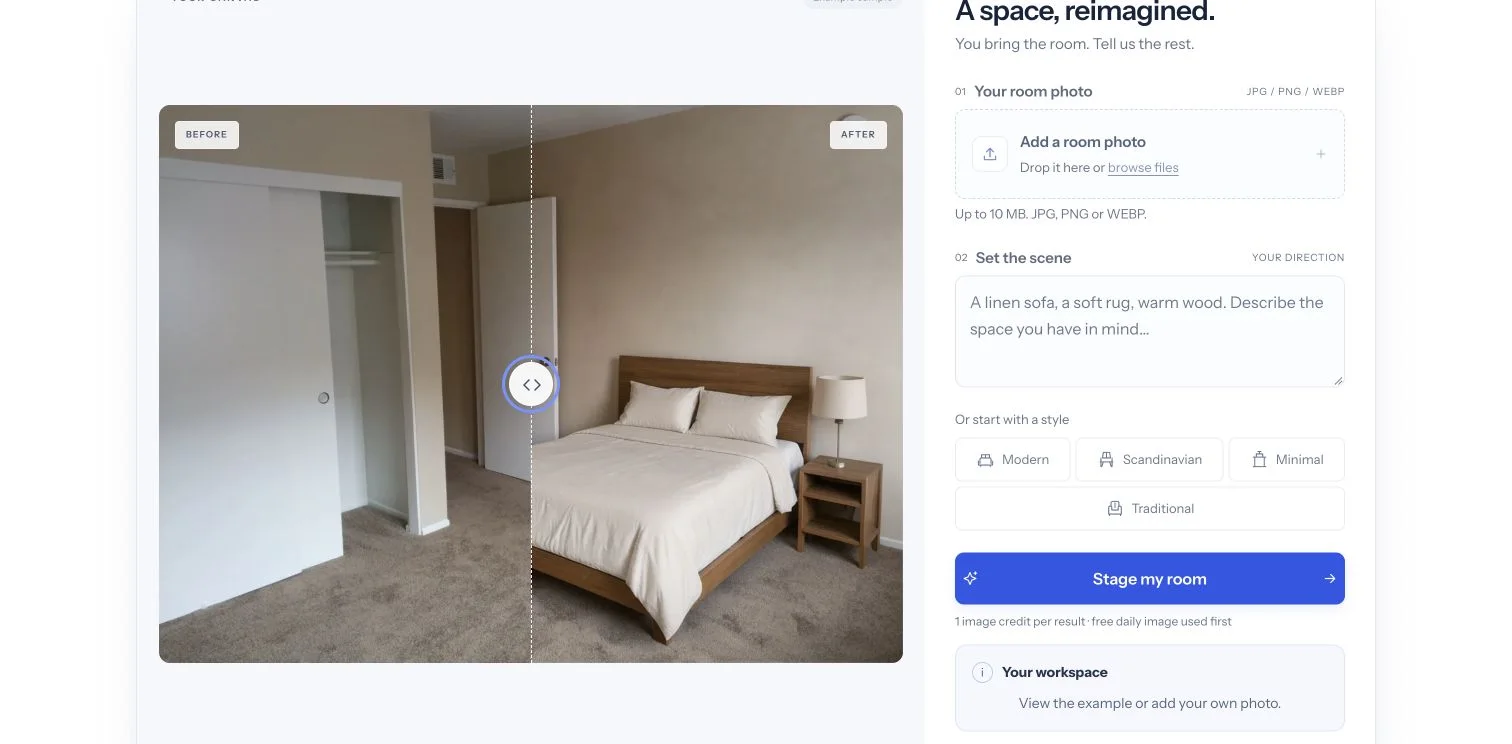
What is virtual staging in real estate, and what does it show?
Furniture and movable decor are the central changes: seating, beds, tables, rugs, lamps and artwork. A virtual staging tool uses an unfurnished photo as the starting point and adds a suggested arrangement. The camera view, openings and permanent features should remain the reference, although an AI model can still change details unintentionally.
That distinction matters. Adding a sofa to show one possible seating arrangement is different from removing a wall, expanding a window or hiding a stain. A convincing-looking picture is not evidence that the furniture fits measured dimensions, that an obscured surface is sound, or that a fixture exists. The original photo is the factual reference.
Related tools serve different tasks. Interior redesign replaces existing furnishings; furniture removal reconstructs areas hidden by objects; wall and floor visualizers explore changes to finishes. Those are not interchangeable with furnishing an empty room. If your photo is already empty and the aim is to suggest a use, virtual staging for an unfurnished room is the more focused starting point.
How does virtual staging compare with physical staging?
Physical staging changes what a visitor encounters in the property. Virtual staging changes what someone sees in a photograph. Neither the furniture nor the illustrated arrangement is necessarily present when a buyer arrives for a viewing.
| Question | Virtual staging | Physical staging |
|---|---|---|
| Where does the change happen? | In an edited photograph | Inside the actual property |
| Is furniture moved into the room? | No | Yes, for a furnished arrangement |
| What does a visitor see? | The property as it actually stands | The on-site arrangement while it remains installed |
| What needs checking? | Image accuracy, scale and required disclosure | Actual fit, access and the physical arrangement |
Virtual staging can be worth the cost when you need to show a possible layout in listing photos without furnishing the property for a viewing. Physical staging may be more useful when visitors need to experience the furnished room in person. At our current base allowances, image plans and packs work out to approximately $0.14 to $1.33 per standard one-credit image, assuming all included credits are used before expiry. Annual plans are paid upfront and credits are released monthly. The right choice depends on how many photos you need and whether an edited image meets your listing requirements. For this app’s current image allowances and billing terms, use the pricing page rather than assuming a price quoted in an older article still applies.
What is virtual staging in real estate, and when should it be disclosed?
The applicable listing service and local rules determine the required format. There is no single label placement that this app can guarantee will satisfy every MLS. Keep an unaltered source and check the current requirements for the service receiving your images.
For example, NorthstarMLS publishes guidance on identifying altered images and retaining originals. ARMLS describes its own disclosure and original-image requirements. These are examples from particular services, not a universal rule for every listing.
A platform watermark and a disclosure label are also different things. An app may export without its own brand watermark while your listing service still requires a conspicuous notice that the image was digitally altered. A clean download does not remove that obligation. This app does not automatically certify a photo for MLS submission or apply every service’s required label.
What makes a useful result for a listing?
A useful result offers a plausible furnishing idea without obscuring what the property is. Compare the full original and edited views. Doors should still be present and accessible, windows should remain recognizable, and the arrangement should leave believable circulation space. Look closely at furniture legs, reflections, floor patterns and contact shadows.
If a cabinet blocks a door, a sofa crosses a walkway or the model invents a fixture, the image needs correction. Do not treat a polished finish as proof of accuracy. A clearer direction or a different arrangement may help, but generated edits are approximate and every result needs review.
The input matters too. A sharp photo showing the room’s floor, corners and openings gives the editor more information than a blurred close-up of one wall. A restrained furniture direction usually makes the intended use easier to judge. Specify a few pieces and materials instead of asking for an unspecified luxury transformation.