
Bring a clear photo.
Choose one JPG, PNG or WebP, up to 10 MB and 32 megapixels. Your browser prepares the image before uploading. Use a photo you have permission to edit and remove private documents from view.
Create a virtual twilight concept from a daytime exterior photo. Describe a subtle dusk sky and evening lighting, compare the edit and download the result.
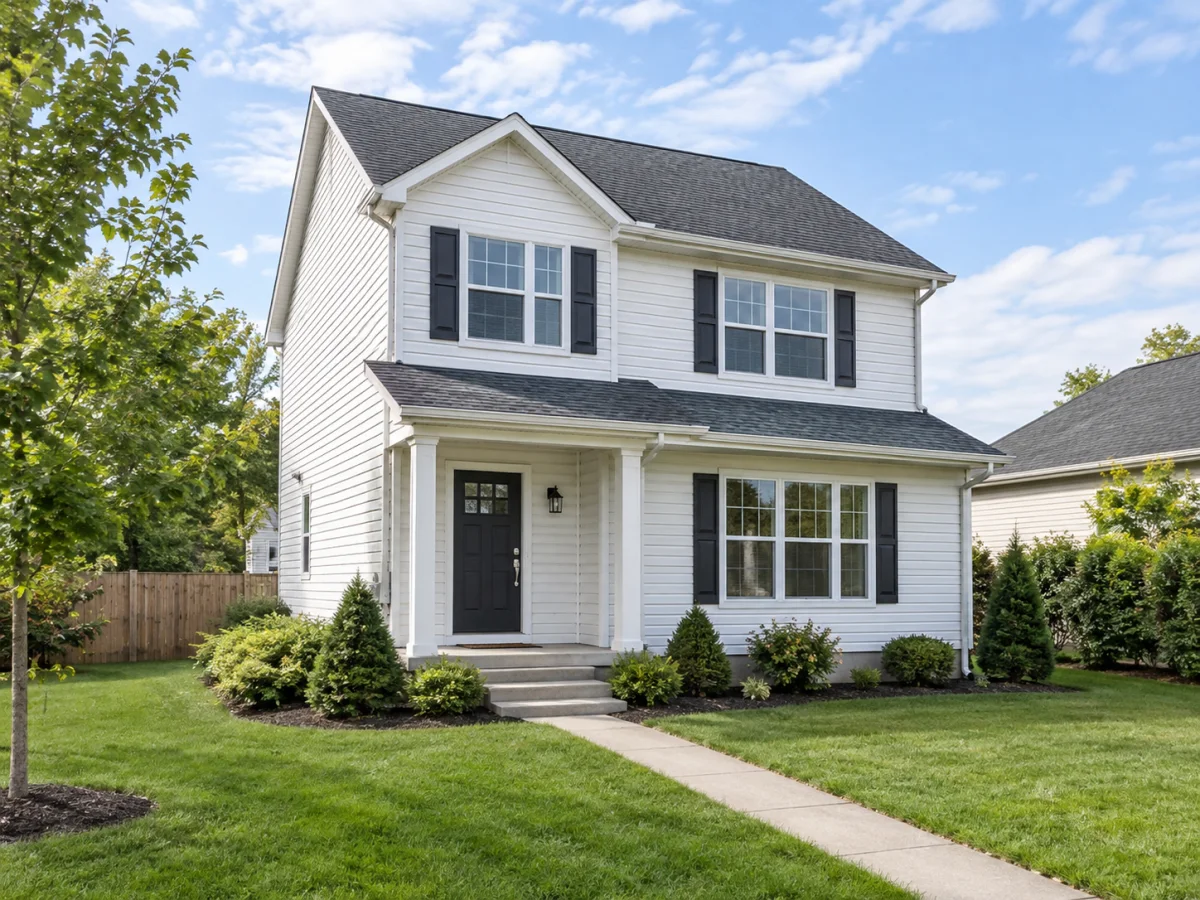
Same room. A different perspective.
BEFORE YOU START
Virtual twilight simulates evening light in a daytime exterior photograph. Keep the original, review permanent features and label the alteration as required. An AI edit is not evidence of the property’s actual lighting or condition.
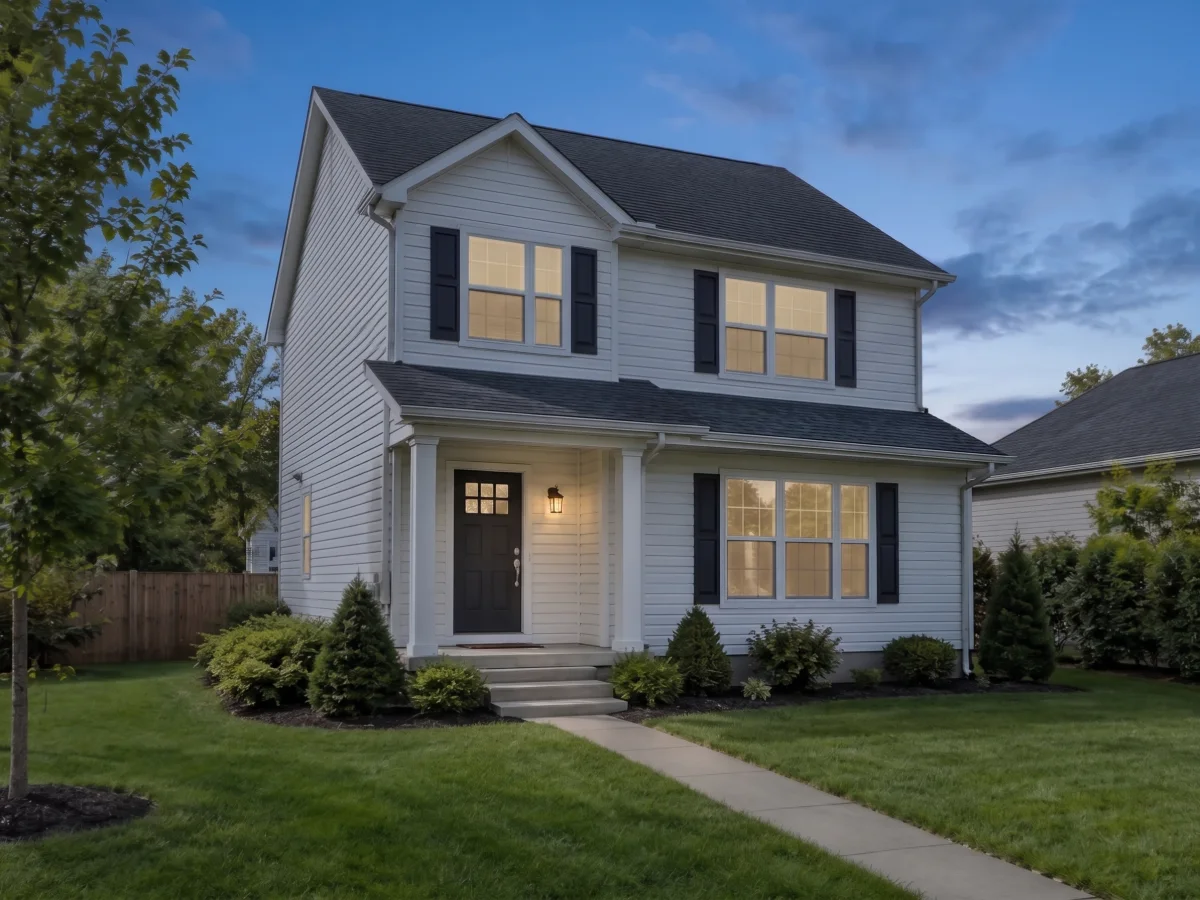
EVENING, ENVISIONED
Virtual twilight changes the apparent time of day in an exterior photograph. Start with a sharp daytime view and describe an understated evening atmosphere. The editor can suggest a dusk sky and warm window glow, but the result remains a simulated image rather than a photograph taken at that hour.
Use a restrained direction such as blue hour with subtle warm light in existing windows. Keep the house, roofline and landscape unchanged. A dramatic sunset is not always the most believable choice: a quiet sky often makes it easier to judge whether the lighting agrees with the source. This is one-image AI editing, not a lighting survey or a reconstruction of actual evening conditions.
CHECK THE SAME VIEW
Check the sky against reflections in glass, the direction of shadows and the brightness of the garden. Window glow should stay inside existing windows. Make sure the edit has not added exterior fixtures, changed roof edges, moved a tree or hidden visible defects. If those details change, do not use the image as a factual property photograph.
A simulated time of day, not a photograph captured at dusk. Sky, reflections and light can be inaccurate. Do not add lights, windows or features that do not exist.
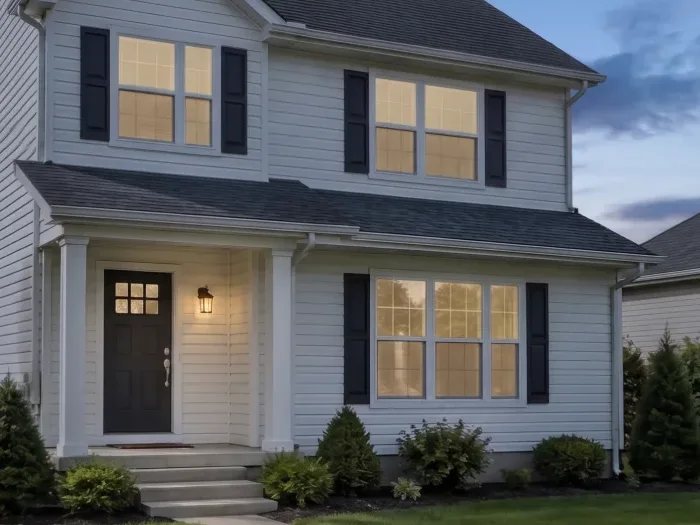
LOOK PAST THE FIRST IMPRESSION
A thumbnail can hide distorted edges, repeated textures and inconsistent shadows. Open the result at a useful size and compare the same area with your original. A local detail may look plausible while a permanent feature elsewhere has changed; inspect the complete image too.
An exterior twilight concept can help communicate atmosphere. It cannot prove what buyers will see at sunset or replace accurate daytime listing photos. Label the altered view as required by your listing service and local rules. For interior exposure corrections, use photo enhancement instead; virtual twilight is designed for an exterior scene.
Choose one JPG, PNG or WebP, up to 10 MB and 32 megapixels. Your browser prepares the image before uploading. Use a photo you have permission to edit and remove private documents from view.
Choose a starting direction or write your own. Presets fill the editable prompt; they are not separate models or fixed templates. Submit once and keep the same request if your connection drops.
Accepted edits run in the background. Compare the original on the left with the result on the right, inspect permanent details and download the PNG. Reopening a stored result does not spend another credit.
One delivered image uses one image credit, with your daily free image used first. A confirmed failure returns the reserved credit; a connection interruption is not a confirmed failure. Processing includes image preparation, safety checks, provider editing and private result storage, so the full wait varies. Your account’s History lists stored requests and available results. Compare plans and credit packs.
Virtual twilight is an edited exterior photograph that simulates dusk or early evening. It can change the sky, exposure and apparent light from existing windows. It is not a genuine twilight capture and should be disclosed as an altered image when required.
Yes. Upload a daytime property exterior and describe the dusk effect. Use a subtle preset as a starting point, then compare the house, sky, shadows and reflections against your original. Interior photographs are better suited to the enhancement tool.
The instruction explicitly asks to preserve the building and use only existing windows and light fixtures. AI can still invent details, so inspect the result. Do not publish a view that implies fixtures or property features that do not exist.
No. Real estate sky replacement here edits the sky and lighting together; there is no separate sky-only control or manual sky mask. Choose Quiet dusk for a subtle evening atmosphere. Inspect roof edges, branches, reflections and exposure after the edit.
Use a sharp, ordinary camera photo showing the surfaces you want to edit. JPG, PNG and WebP are supported up to 10 MB and 32 megapixels; the browser prepares a smaller working image before sending it. Strong motion blur, extreme wide-angle distortion and partly hidden areas make the result harder to judge. A higher pixel count alone does not guarantee a more accurate edit.
Uploads and results are private to your signed-in account or the browser used for your guest trial; they are not added to a public gallery. The images on this page are separate illustrative examples. An accepted task is processed by our configured AI provider and saved for private readback and download. Use photos you have permission to edit and avoid including personal documents or other sensitive information. See the privacy policy for processing details.
Try one image as a guest after verification. The guest trial is limited to one image per browser. A maximum of one new guest per IP or network can start a trial each UTC day. Sign in with Google to claim one image per UTC day across the room-editing tools; it expires at 00:00 UTC and does not roll over. There is no additional signup bonus. Free and paid downloads have no watermark.
Accepted requests continue in the background. Return in the same browser with its site data intact, or use the same signed-in account, to recover the latest task within six hours. The applicable credits are reserved; a delivered image uses them and a confirmed failure returns them. Do not resubmit a request just because the connection drops.